

In today’s class of foundation we learn a very interesting topic of coding. Which included html. We learned how to set up these few codes creating a small simple web page. But behind that web page, it wasn’t simple at all. We created many codes to create it. Now that I think about it, many websites, app, game companies use many of these types of code. But I bet its way more complicated. Of course during these complicated codes to create websites, it does connect to color! The way that it connects to color is that even color has codes. When finding that code you are able to input it into your html codes. An examples is:
Color Hex Color Code RGB Color Code
| Red | #FF0000 | rgb(255, 0, 0) |
Steps-
There are a few next steps to make my first web page attractive which are, to make the colors vivid and alive. What I mean is that if I make the colors pop it’ll catch anyone’s eye to check it out. Another step I must take is to organize my web page. When doing the following, it’ll make it easier for anyone to understand whats happening on the web page, making it easier for them to move around. Another step is to just make the web page an interesting topic to also catch any human eye to make them want to read into the topic.
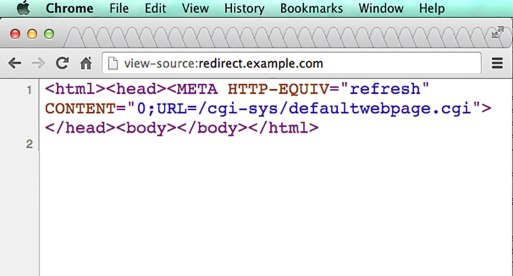
Tags-
A few tags that will create a visually simulating page are :
<html
<heads>
<body>
These are the tags that will create a visually simulating page. The <html> is what grabs everything and instructs the browser. <head> is read by the browser and will hold the data with the title tag. <body> is where all visual goes but can also go into the <head> tag.
Source-
https://www.quora.com/What-tag-contains-the-visual-part-the-web-page
 HeidiCortez